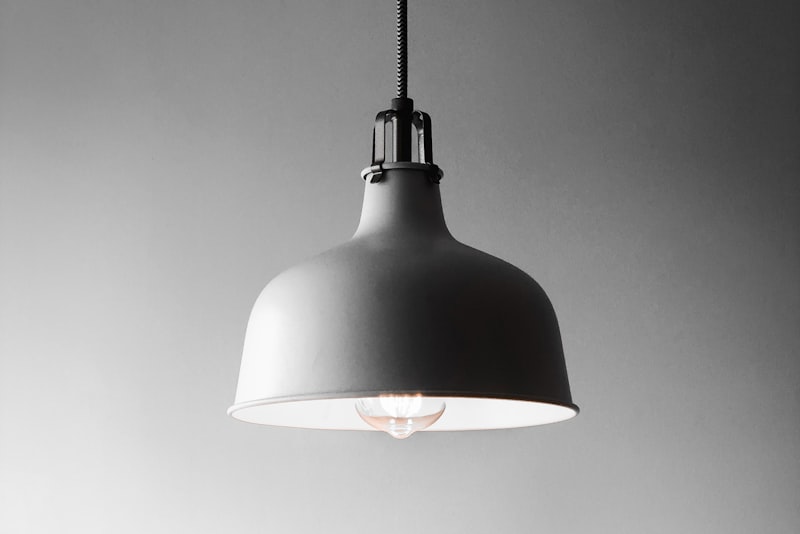
The first time I installed a set of dimmable smart bulbs in my own living room, they hummed like a distant refrigerator and shimmered every time I pulled them below half brightness. Nothing was broken, and the bulbs weren't defective. The problem was a mismatch I could have avoided if I'd understood what actually happens when you try to dim an LED.
The short version: it's almost always the dimmer#
When people tell me their smart bulbs flicker or buzz, my first question is never about the bulb. It's "what's the light plugged into?" In the overwhelming majority of cases, the culprit is an old wall dimmer that was designed for incandescent bulbs and is now being asked to control something it was never built for.
Incandescent bulbs are simple, forgiving loads. They draw a lot of power, they don't care about the exact shape of the electricity feeding them, and they smooth out any roughness because the filament stays hot between the tiny gaps in the current. A 5-watt or 9-watt LED does none of that. It's a piece of electronics with a driver circuit inside, and it reacts to a mismatched dimmer by doing exactly what you don't want: flickering, buzzing, or refusing to go dim at all.
So before you blame the bulb, look at the switch on the wall.
Why old dimmers and LEDs fight each other#
Most traditional wall dimmers work by chopping up the electrical waveform. Instead of reducing voltage smoothly, they switch the power on and off very rapidly, cutting out slices of each cycle. Your eyes read "less light on average," but the electricity arriving at the bulb is actually a rough, jagged signal.
There are two main chopping methods, and the distinction matters:
- Leading-edge (TRIAC) dimmers are the older, cheaper, more common type. They cut the front of each waveform. They were built for high-wattage incandescent loads and tend to struggle with the tiny power draw of LEDs.
- Trailing-edge (ELV) dimmers cut the back of the waveform and generally run quieter and smoother with modern lighting. They're more expensive but far better suited to LED and smart bulbs.
The flicker you see at low brightness is often the LED driver losing a stable signal on a leading-edge dimmer. The buzz is a physical phenomenon: the sharp switching creates vibrations either in the dimmer itself or in the tiny components inside the bulb's driver. That faint hum isn't your imagination, and it usually gets worse in the lower half of the dimming range.
The minimum load trap#
Here's a detail that catches a lot of people. Many dimmers have a minimum load rating — a floor of wattage they need to operate correctly. An old dimmer might expect at least 40 watts to function.
Swap three 60-watt incandescent bulbs for three 9-watt LEDs and you've dropped from 180 watts to 27 watts. Now you're below the dimmer's minimum, and the result is flicker, ghosting (a faint glow when the light is supposedly off), or a light that won't turn on at all until you nudge the slider. This is one of the most common reasons a "perfectly good" dimmer suddenly misbehaves after an LED upgrade.
The cleanest fix for smart bulbs: don't dim at the wall#
This is the single most important thing I tell people, and it surprises them every time: smart bulbs should not be on a wall dimmer.
A smart bulb already contains its own dimming electronics. It expects a constant, full mains voltage so its internal circuitry can do the dimming digitally — smoothly, quietly, and across the full range. When you put a smart bulb behind a wall dimmer, you have two dimmers fighting for control of the same light, and neither wins. You get flicker, unpredictable brightness, and often a bulb that won't respond to its app.
The right setup for smart bulbs is:
- A plain on/off switch that stays permanently ON (or a smart switch designed to keep the bulb powered).
- All dimming handled by the bulb itself — through its app, a voice assistant, or a compatible smart button or remote.
- If you want a physical control on the wall, use a wireless smart dimmer or scene button that sends commands to the bulb rather than chopping its power.
Once you stop trying to dim a smart bulb electrically and let it dim itself digitally, the flicker and buzz almost always vanish. The trade-off is that anyone who flips the physical switch off cuts power entirely, and the bulb's smart features go dark until it's switched back on. In practice, I put a small label or a switch guard on those switches in shared households so guests don't kill the lights out of habit.
If you want wall dimming, match the hardware#
Not everyone wants to control lights by phone, and that's completely reasonable. If you prefer a real dimmer on the wall, you have two solid paths.
Path one: a proper LED-rated dimmer with dumb dimmable bulbs#
Use non-smart, dimmable LED bulbs paired with a modern LED-rated dimmer. The key points:
- Buy a dimmer explicitly rated for LEDs, ideally trailing-edge.
- Check that your total bulb wattage sits comfortably within the dimmer's rated range, not below its minimum.
- Look at the dimmer maker's compatibility list — the good manufacturers publish which bulbs they've tested, and this genuinely saves headaches.
This gets you smooth, quiet dimming without any app at all. It's my go-to for bedrooms and dining rooms where simplicity matters.
Path two: a smart dimmer switch#
A smart dimmer switch replaces the wall switch entirely and adds both app control and physical dimming. It's designed from the start to dim LEDs, so it handles the waveform far more gracefully than a decades-old dimmer. Pair it with dimmable dumb LED bulbs, again checking the compatibility list.
A word of caution here: smart dimmer switches usually need a neutral wire in the switch box. Many older homes don't have one at every switch. Some models work without a neutral, but they can reintroduce the exact flicker and ghosting you were trying to escape, especially on very low LED loads. If you're not sure what's in your wall box, this is a good moment to bring in an electrician rather than guess.
A practical troubleshooting walkthrough#
When a reader writes in with flickering or buzzing lights, this is the order I work through it:
- Identify the switch. Is it a dimmer or a plain switch? If it's a dimmer and the bulbs are smart bulbs, that's your answer — the two are incompatible.
- Check the bulbs are actually dimmable. Not every LED is. A non-dimmable bulb on a dimmer will flicker, buzz, and can fail early. The packaging or the bulb's app spec will say.
- Add up the wattage. Total the bulbs on that circuit and compare against the dimmer's minimum and maximum ratings. Below minimum means flicker and ghosting.
- Note when it happens. Flicker only at the low end points to a driver or minimum-load issue. Buzzing that tracks with brightness points to a leading-edge dimmer mismatch.
- Check for mixed bulbs. Different brands or different batches on one dimmer can behave very differently. Standardizing on one model often clears up odd behavior.
- Match the fix to the goal. Want smart control? Move to a permanent-on switch and dim in the app. Want a wall dimmer? Move to an LED-rated or smart dimmer with dumb dimmable bulbs.
Most problems resolve at step one or three. The rest are edge cases, but they're worth knowing.
The trade-offs nobody mentions#
There's no single perfect answer, so here's the honest picture:
- Smart bulbs on a plain switch give the smoothest, quietest dimming and the most flexibility — but you lose everything if someone cuts the power at the wall, and you're dependent on an app or voice for control.
- Dumb bulbs on a good dimmer are dead simple and reliable, but you give up scenes, color, scheduling, and remote control.
- Smart dimmer switches try to have it both ways, but they can need rewiring, and pairing them with smart bulbs (rather than dumb ones) is a classic mistake that brings the flicker right back.
Pick based on what you actually want from the room, not on what sounds most advanced. A hallway rarely needs color-changing scenes; a home office might genuinely benefit from tunable brightness on a schedule.
Getting it right the first time#
Flicker and buzz feel like defects, but they're almost always a conversation between two devices that weren't introduced properly. Decide up front how you want to dim a room — digitally through smart bulbs, or electrically through a proper dimmer — and then buy the hardware to match that one choice. Keep smart bulbs off wall dimmers, keep dumb dimmable bulbs on LED-rated dimmers, and respect the minimum load ratings. Do that, and the humming refrigerator sound stays where it belongs: in the kitchen.